
How to build a custom rendering pipeline
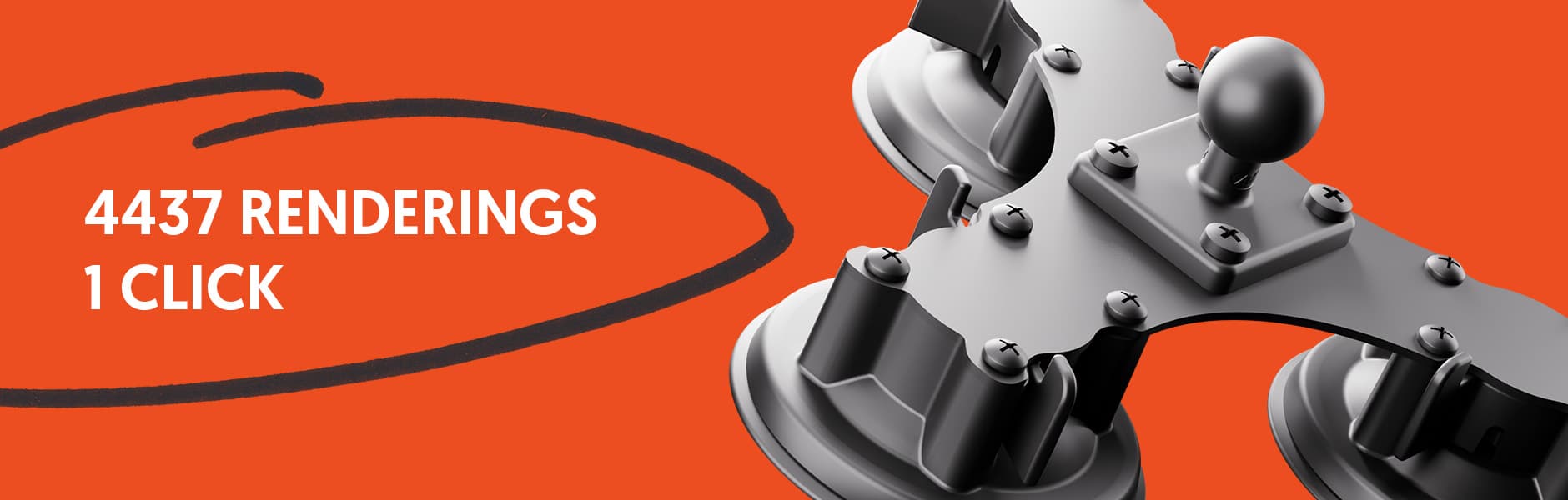
When the company ARAT approached us with a specific request, it quickly became clear that this would not be an ordinary visualisation project. The task was to render several thousand product variants of a modular mounting system realistically. Every single configuration had to be technically correct, visually high-quality and clearly reproducible.
A challenge that cannot be solved with classic workflows, yet at the same time a perfect field of application for an automated rendering pipeline. Before we dive into the technical implementation, though, it is worth taking a short look at the product itself.
14.01.2026
The foundation
Under the BIGMOUNT brand, ARAT develops and produces system-based mounts for professional applications. These are used, among other things, in industrial settings, in logistics and in vehicle-based applications.
What makes BIGMOUNT special is its modular structure. A mount does not consist of one fixed part but of several components:
- mount
- connector
- base plate
- optionally an additional device carrier
Each of these components is in turn available in different versions. This results in highly specific combinations for the most varied areas of use. It is precisely this flexibility that is a major advantage for users, but at the same time it poses an enormous challenge for visualisation.
That is because these parts produce a total of 4437 clearly defined product configurations that have to be depicted visually.
On the BIGMOUNT website, customers can put together their desired mount via a product configurator (also a solution from KOMMERS). The goal was to depict every configuration visually there too, so that customers can see how their selection looks in reality.
It quickly became clear:
manually creating and rendering over four thousand individual images would be not only extremely time-consuming but also economically unreasonable. Changes to the product or new variants would trigger the entire process all over again.
The only practical solution was therefore a fully automated rendering pipeline that builds on existing product data and scales as needed.
The path to the solution
Before we began the technical implementation, we engaged intensively with the mounting system itself. The goal was to fully understand the logic behind the products.
A central pattern emerged:
every configuration is based on a connector to which all other parts are attached. The connector thus acts as the central element along which the entire geometry is aligned.
This insight was decisive. It allowed us to define the connector as a fixed anchor point and to position all other components relative to this part. This created the basis for a modular and reproducible system.
For the implementation we chose Blender 4.5.0. Several factors were decisive:
- the powerful Cycles render engine
- the high level of control over light, materials and camera
- but above all the interface that can be controlled entirely via Python
First we created a base scene in which an example configuration was built manually.
Based on the STL data provided by ARAT, we placed the individual parts carefully in space. This was not only about technical correctness but also about an aesthetic, easily understandable depiction of the products.
These test visualisations served as a reference and were coordinated with ARAT and approved. Only after that did the next step begin: full automation.
Empties, CSV and Python
With the final test configuration, we could now lay the cornerstone for the automation. For every relevant part we defined so-called empties, that is null objects, at exactly fixed points. These empties were placed at the origins of the parts and from then on served as fixed docking points. In addition, we aligned all parts to a common coordinate system, so that they could later be swapped without trouble.
In this way a flexible system emerged, in which every configuration can be assembled simply by copying position and rotation.
In parallel, ARAT provided us with an extensive Excel list in which all article numbers and the corresponding parts were defined. After adjusting it in content and structure, we used this list as the basis for the automation.
Exporting it as a CSV file allowed us to process the data directly in Blender and link it with the 3D scene. To use this data efficiently, we developed our own Blender plugin, which fed the CSV into the following sequence:
- One row of the CSV file is read in
- The required parts are made visible
- Each part automatically receives a Copy Location and Copy Rotation modifier
- The modifiers reference the previously defined empties
- The complete configuration is assembled
Since individual configurations can vary in size, the virtual camera aligns itself automatically to a temporary bounding box. This ensures that every configuration sits optimally within the frame.
Optionally, the configuration can be rendered directly or edited further for testing purposes.
Reproduction and bulk rendering
A major advantage of this system is its full reproducibility.
The plugin makes it possible not only to render thousands of configurations automatically, but also to load individual variants on demand.
For example, configuration #3194 can be called up manually in order to:
- check the alignment
- adjust materials
- optimise camera settings
- or identify possible sources of error
Especially with changes to the product or its appearance, this option is an enormous advantage. Once the pipeline has been set up, new render runs or additional configurations can be produced quickly and reliably.
Do we want to change the lighting or the material of the products?
No problem, after the adjustment the system can simply run again.
Render optimisation
With several thousand renderings, even small differences in time quickly add up to several hours. For this reason we deliberately invested time in optimising the render settings.
Through the combination of the Cycles render engine, optimised sampling values and the OptiX denoiser, we were able to reduce the render time per image drastically.
While the first test renderings still needed around 22 seconds, the final render time was a little over 3 seconds per image.
That corresponds to a more than sevenfold speed-up, without visible losses in quality. This result is particularly remarkable at an image resolution of 2000 x 2000 pixels.
Blender's EEVEE realtime engine was also tested during the optimisation. After thorough checking, however, we saw that renderings from EEVEE do not reach the same quality as Cycles. Even so, this engine is promising for future projects that build on less complicated lighting conditions.
Conclusion
This project shows very clearly how powerful automated rendering pipelines can be when they are designed cleanly from the start. For ARAT and BIGMOUNT, the solution means consistent product visualisations, high scalability and enormous savings in time and cost.
Precisely with modular, variant-rich products, a pipeline like this is not a nice to have but a decisive competitive advantage.
When product logic, data structure and 3D workflow work together cleanly, the result is solutions that are viable in the long term and can grow with the product portfolio.
If you are planning a similar project, or if we can support you with product development or visualisation, feel free to contact us for a no-obligation initial consultation.
Ready for Your Next Project?
Write to us or book an initial consultation directly. We reply within 24 hours, usually faster on weekdays.
Start Project Now